The darts scoreboard, on your TV
By Pierre, updated
Bullcast turns the TV into a scoreboard: everyone sees the scores and the checkout, and each player enters their visit on their phone. It opens in the browser, with no app to install.
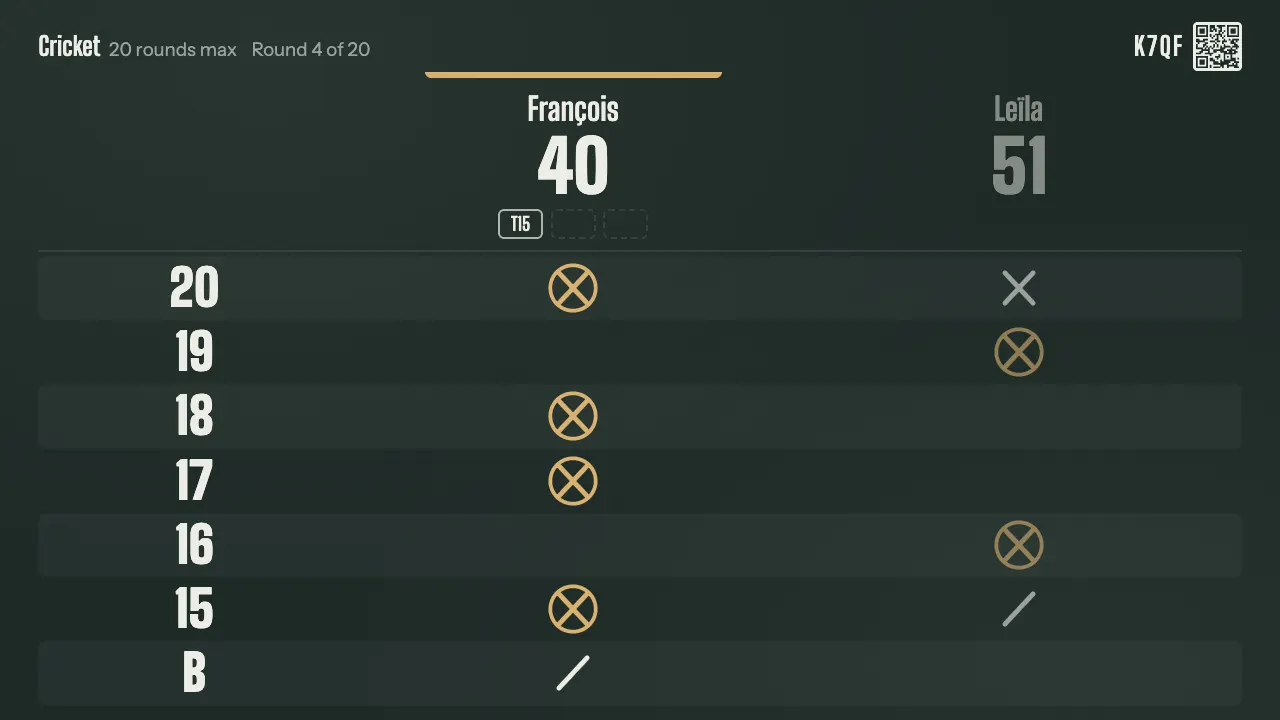
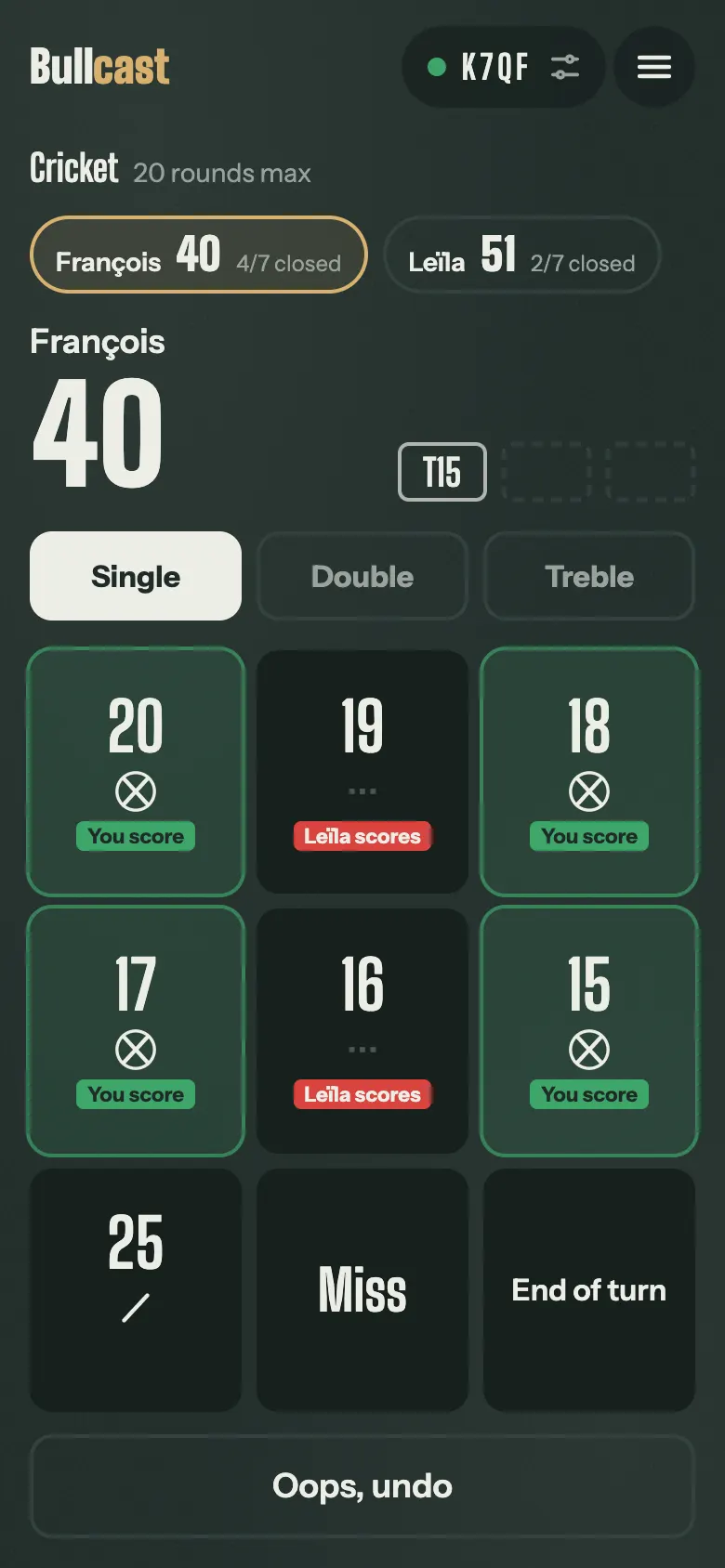
What the TV shows
- Each player's score, big enough to read from the oche.
- The darts of the visit, one by one.
- In 301 and 501, the checkout as soon as there is one.
- In Cricket, the marks on each number, like on a chalkboard.
- At the end, the standings and the game's stats: average, 180s, best checkout.
How it works
- Open bullcast.app/tv in the TV's browser.
- Scan the QR code it shows with a phone.
- Pick the game and the players, and throw. Every phone in the room can enter the scores.
The games
301 and Cricket are free, no account needed. Bullcast Complete adds 501, 701, Cut-throat, Crazy cricket, Hammer cricket, Around the Clock, Killer, Shanghai, Halve-it, Golf, Baseball, two practice routines and a practice bot, for €20 a year.
No TV?
No TV to hand? The phone shows everything, opponents included. A computer or a tablet set down near the board also makes a good scoreboard.
Try it now
A game of 301 starts in 30 seconds, free and with no account.
Start a gameQuestions
How many players?
Up to 8 players per game, and up to 12 in a tournament among friends.
Which TVs does it work on?
Any TV with a web browser: smart TV, Fire TV, HDMI stick, or a computer plugged in over HDMI.
Do the TV and the phones need the same wifi?
No. Each one just needs internet: the game lives on our servers, which keep the TV and the phones in sync.